
Alpine Dog Apps
ArchCam
ArchCam by Alpine Dog Apps LLC helps you straighten buildings, level horizons, and reduce the stretched appearance of people near the edges of wide photos. See adjustments while composing, refine a photo in Studio Editor, and keep the original recoverable.
Available for iPhone with iOS 17 or later. Free to download.
Make faces and figures look more natural in group photos and selfies. Wide correction works with front and rear cameras. Its curved projection can bend straight lines, so choose Verticals for architectural subjects.
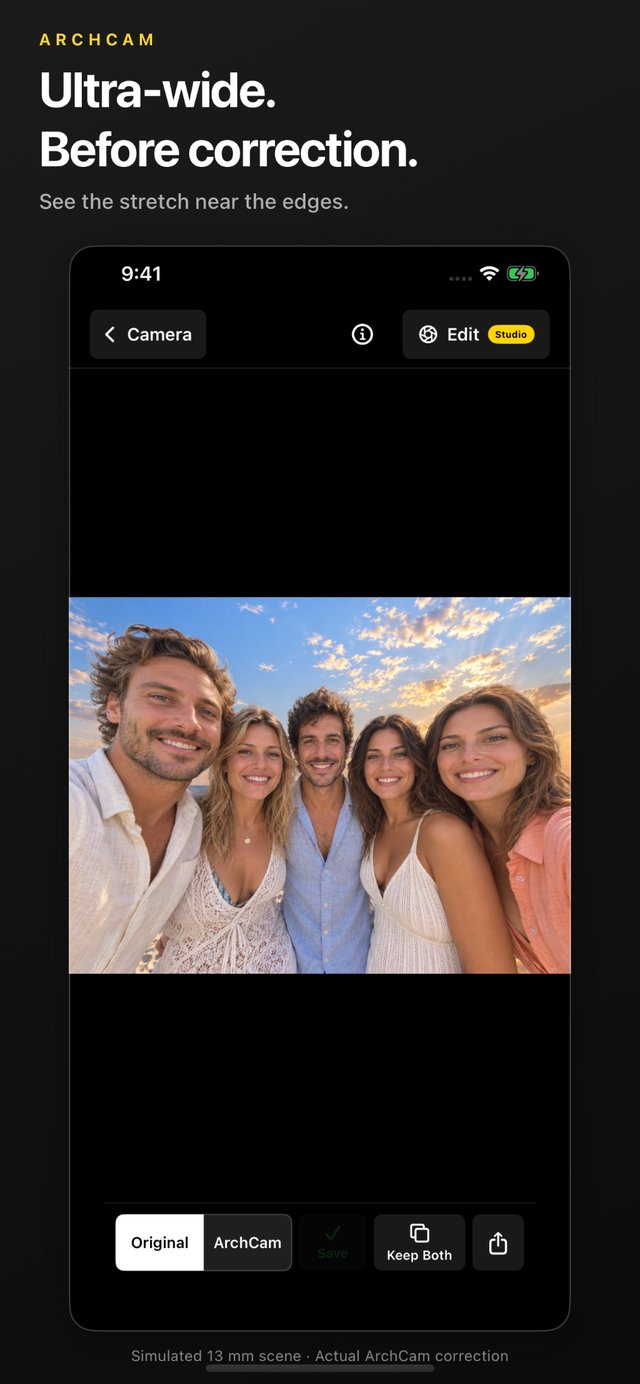
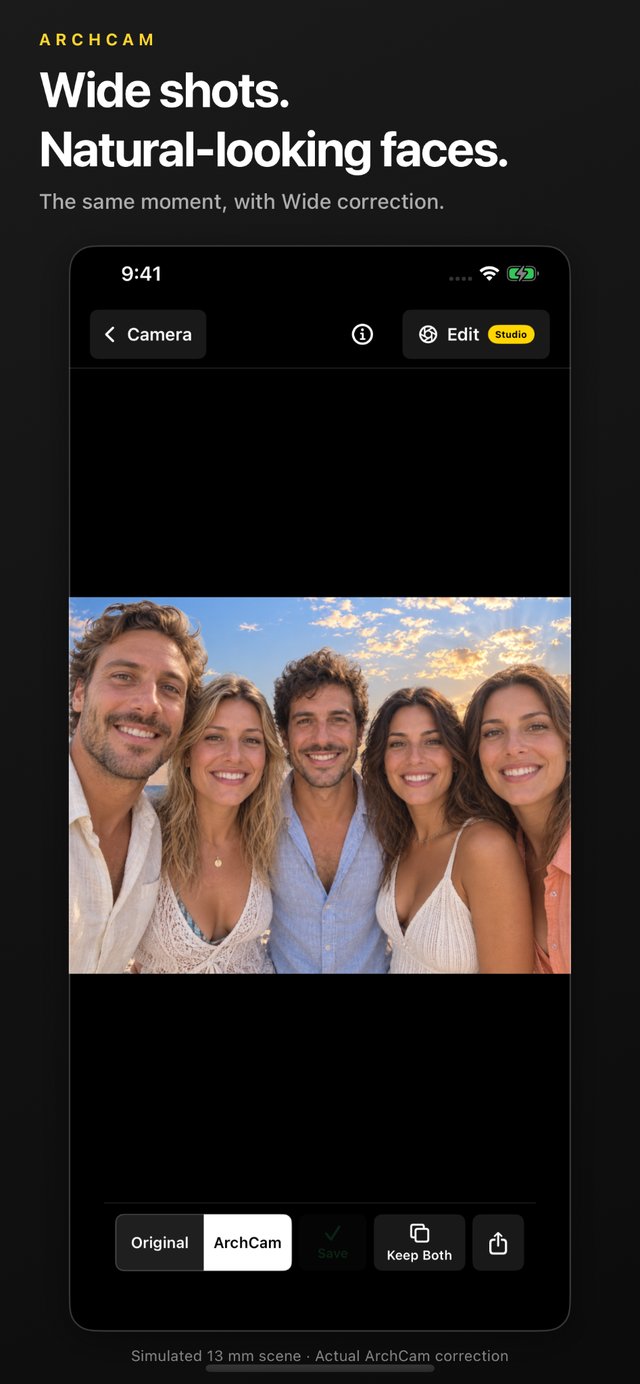
Original at left and Wide correction at right
Photograph tall buildings and interiors with straighter upright lines. Verticals uses camera orientation and lens information to correct convergence when the rear camera points up or down. Automatic horizon leveling helps keep everyday compositions level.
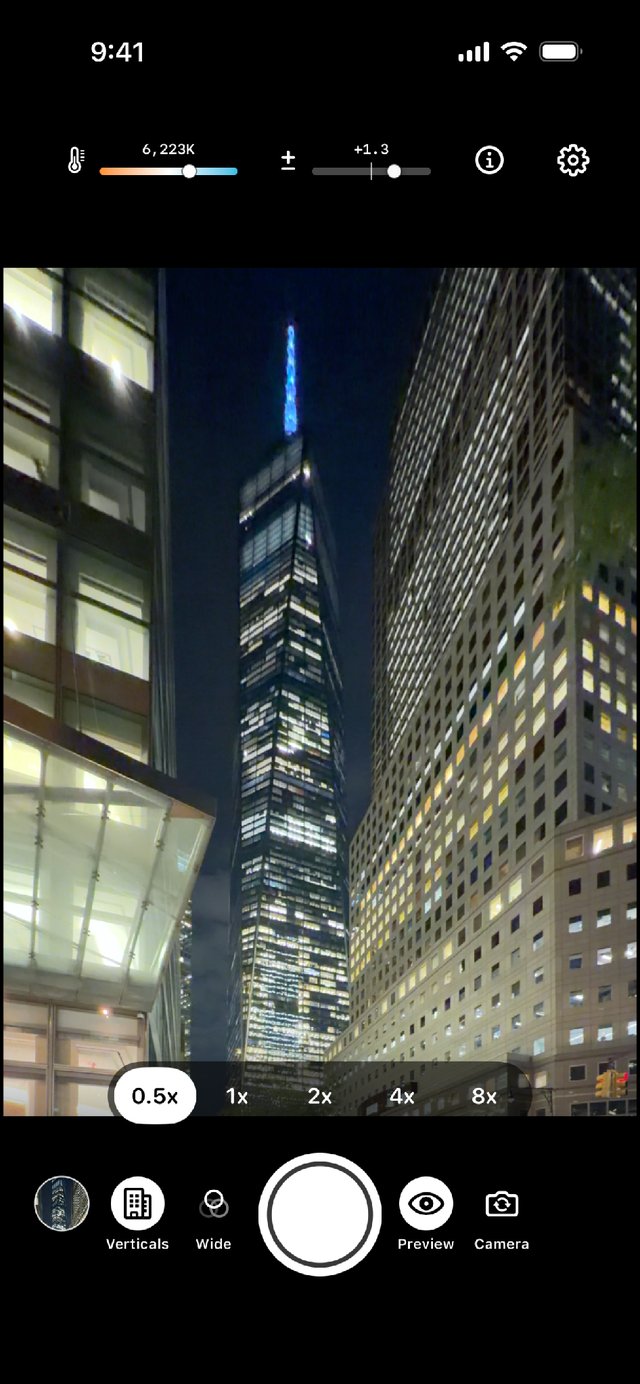
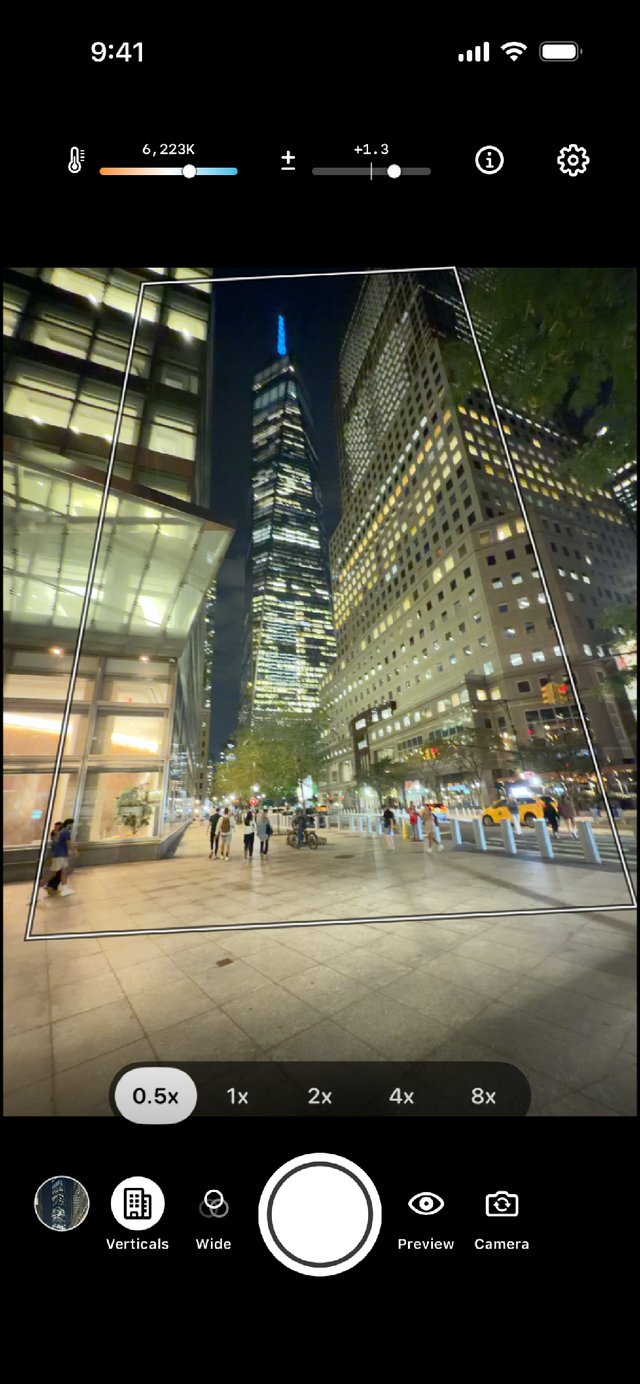
Live Preview at left and Outline at right
Choose how you compose
Preview shows enabled corrections as you frame the shot. Outline marks the future corrected frame with less processing. Both apply the same enabled corrections when you save.
Familiar camera controls
Tap to focus, hold to lock focus and exposure, pinch to zoom, or shoot with either volume button. Exposure and white balance controls are available when you need them.
Photograph paintings, posters, and facades from one side, then adjust horizontal perspective with Artwork mode. For flat subjects photographed from above, Document mode corrects their geometry.
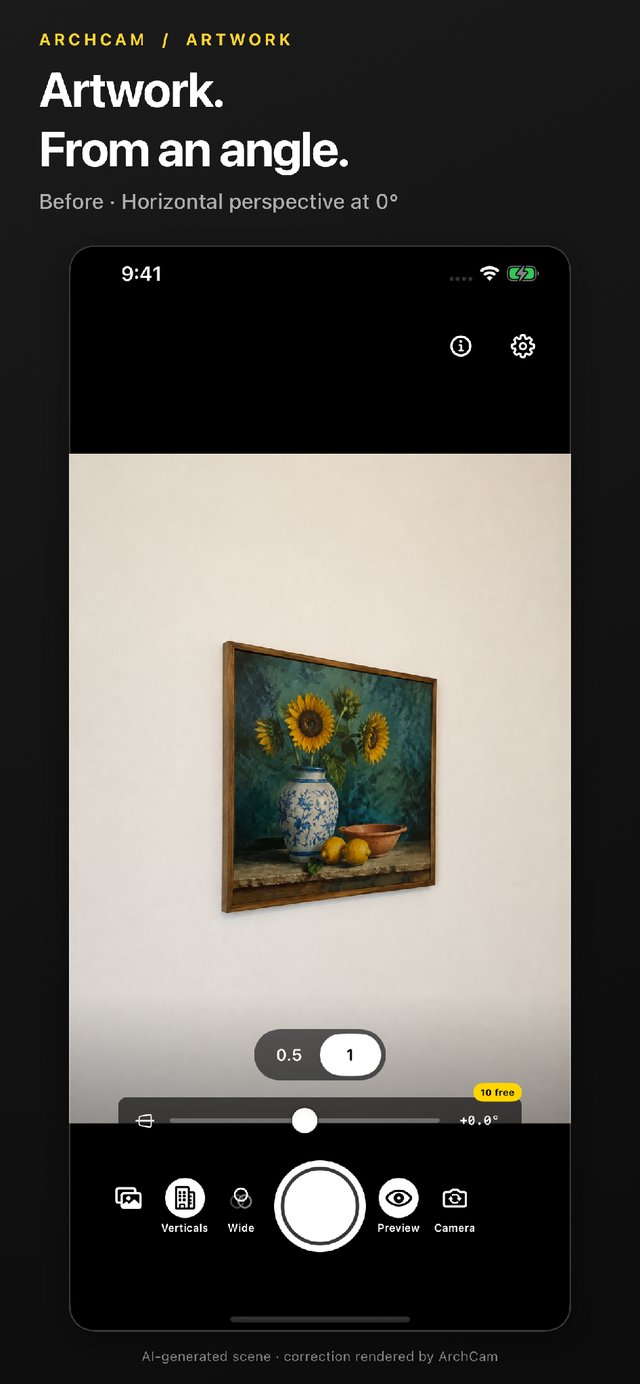
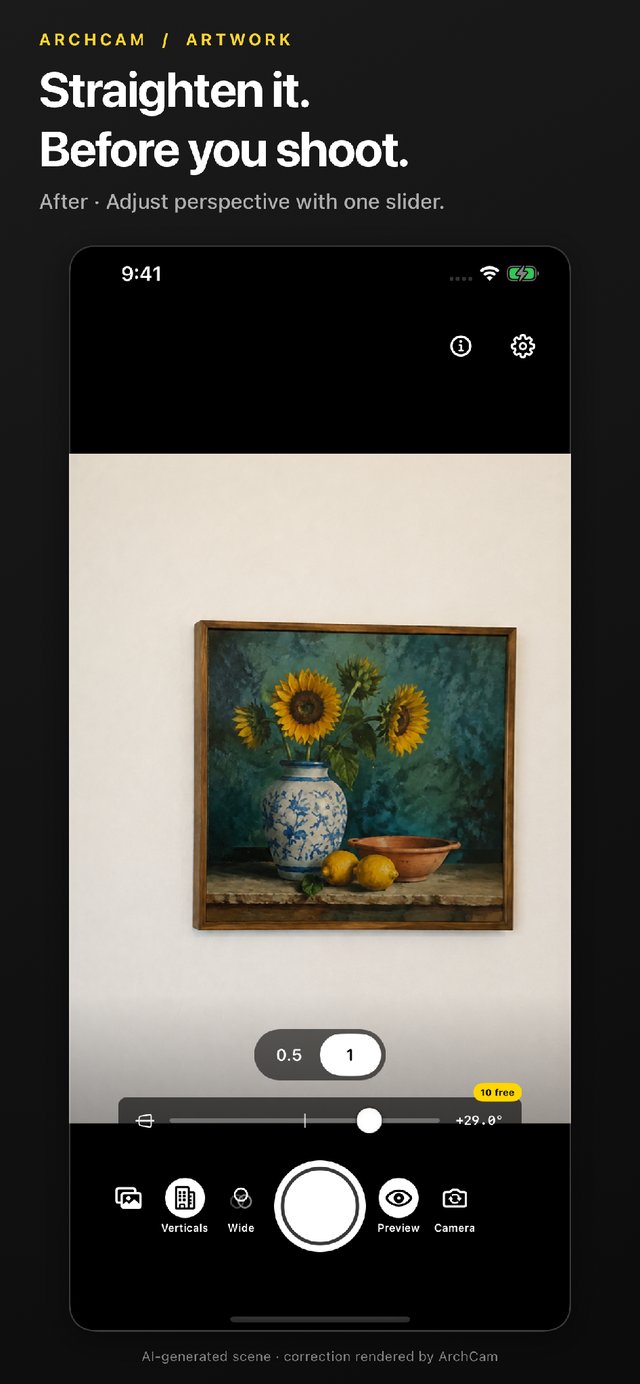
Artwork before adjustment at left and after adjustment at right
Refine your photos and keep the original
Studio Editor adds Horizon, Vertical, Horizontal, 4-Corner, Wide, and Color tools for ArchCam and library photos. Compare versions in Review, save either, or keep both as separate photos. Studio Editor and Artwork capture share 10 free saves; a one-time Studio purchase removes that limit. Review actions remain free.
Private photo processing
Photo processing stays on your iPhone. ArchCam has no account requirement, advertising, analytics, tracking, or image-processing backend. Apple handles purchases, and saved photos may sync through your iCloud settings.
Free to download. Fix your first photo in under a minute.
Screenshots from the published App Store listing.
App Store
|
Support
|
Privacy policy